
Securly’s DNS based solution can be used on all types of devices. To setup Securly DNS on your iOS, follow the steps below:
- Open the Settings app and choose 'Wi-Fi'.
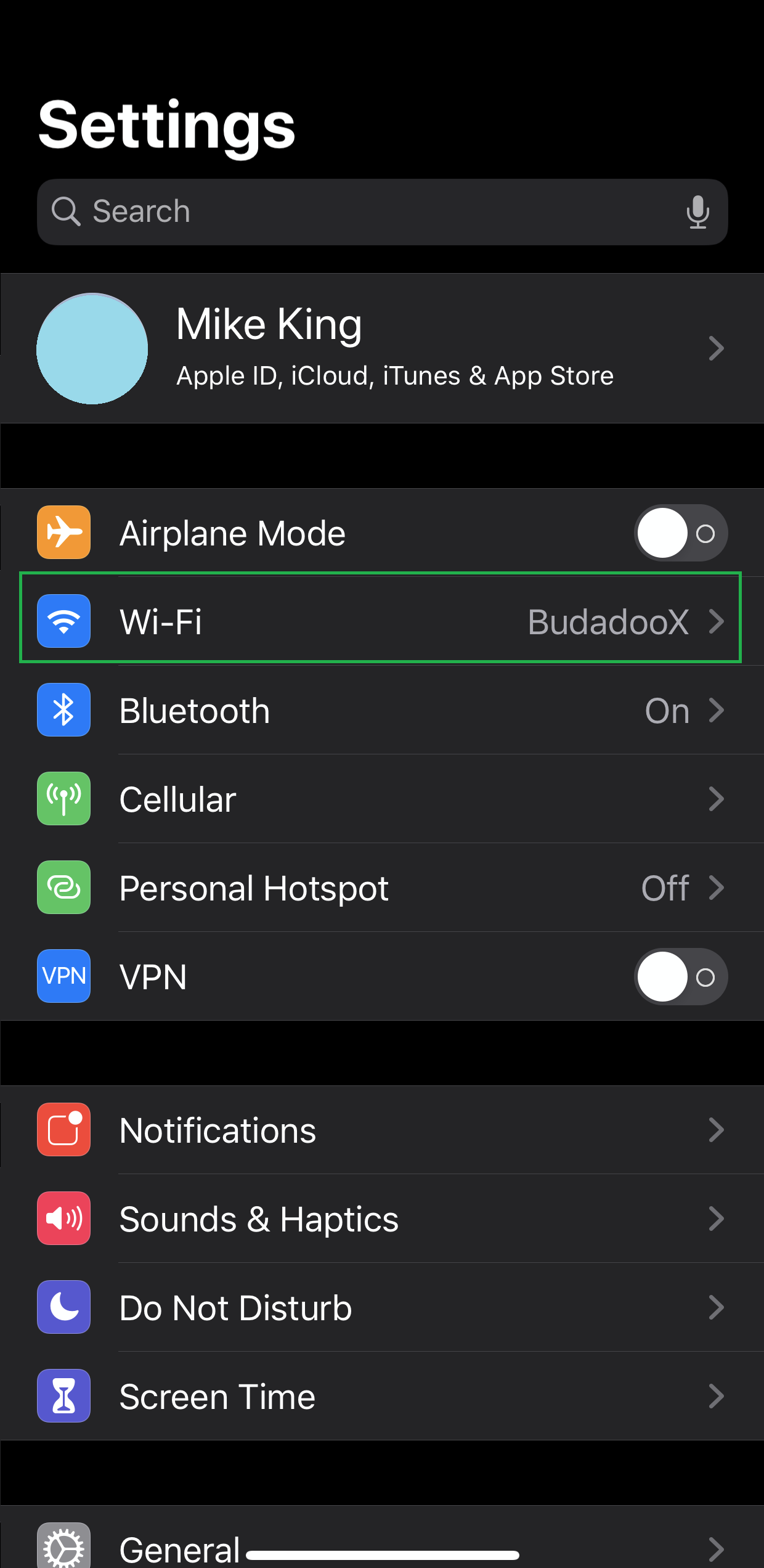
- Select the connected Wi-Fi SSID by clicking on the “i” symbol.

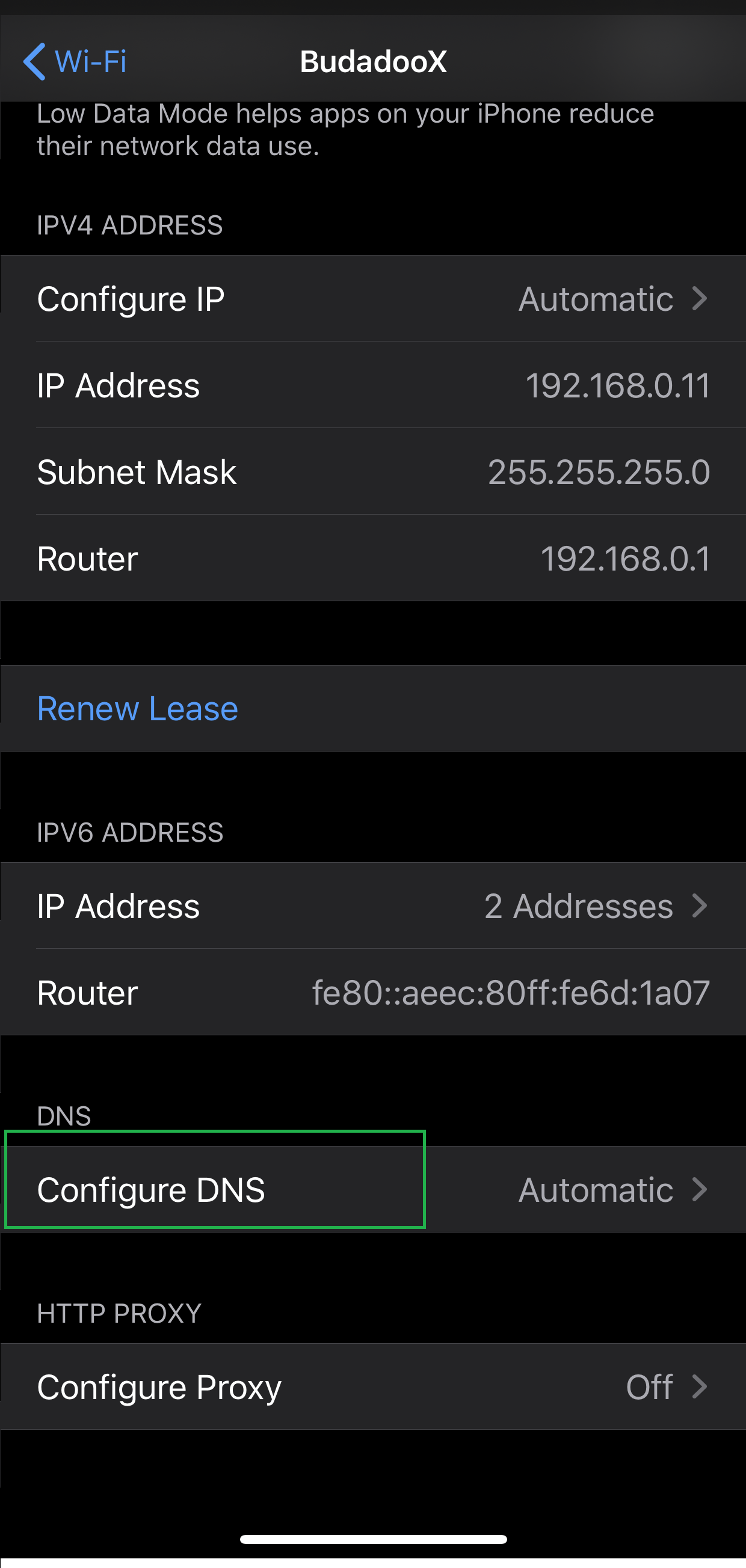
- Scroll to the bottom of the options and select 'Configure DNS'.
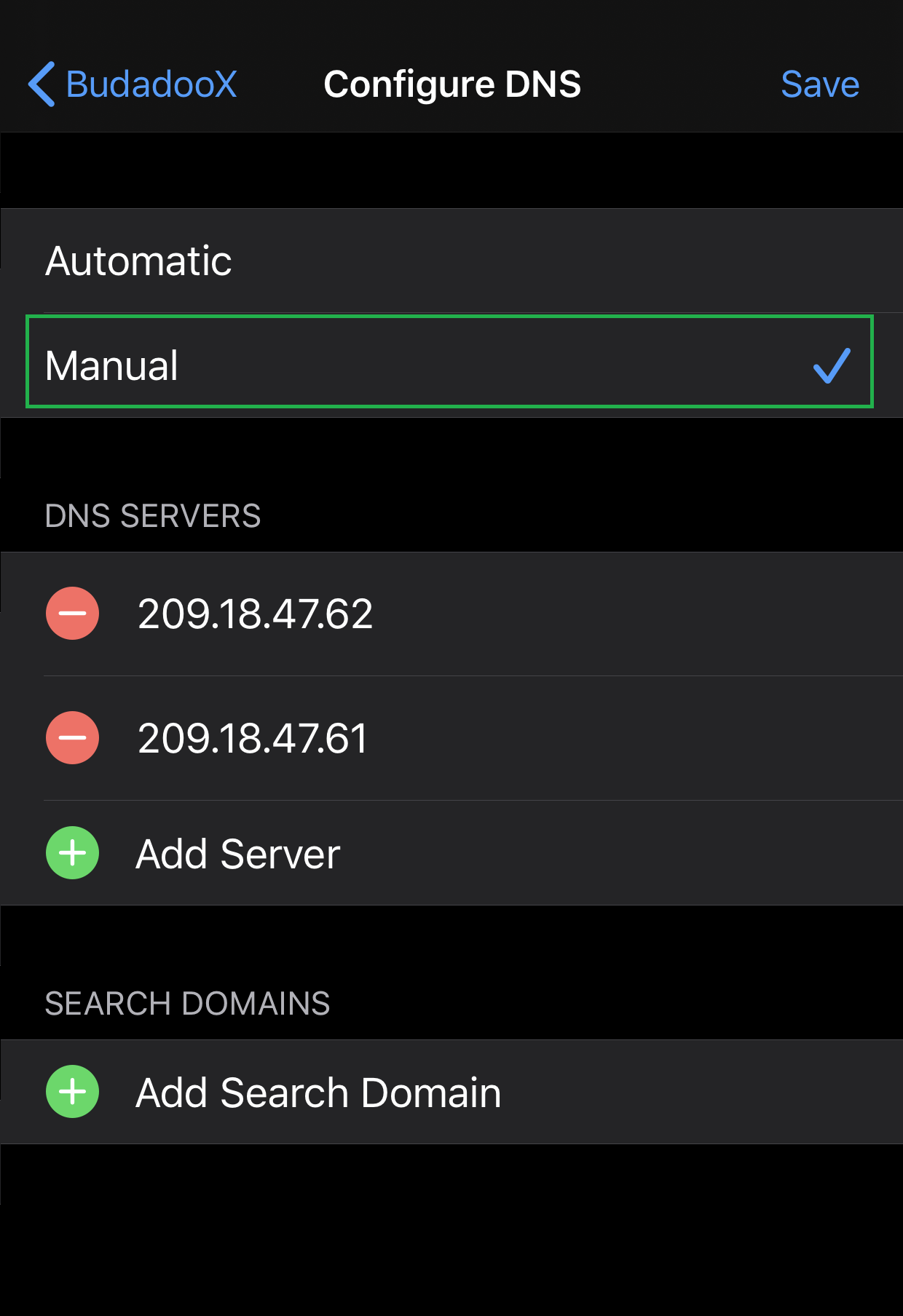
- Select Manual.
- Remove the current DNS servers. Enter the new DNS server IPs and click on 'Save'.

Comments
Article is closed for comments.